World of Warships has multiple versions and each handles accounts, platforms, and progression differently — which platforms play together, how Legends cross-progression works, how Steam accounts differ from Wargaming accounts, and how server transfers work.
For free in-game items, grab the latest World of Warships codes.
World of Warships PC vs Legends: which is which
There are two separate World of Warships games:
World of Warships (PC) — the main game. Available via Wargaming Game Center, Steam, and Epic Games Store. This is the game covered throughout this site. Separate account and matchmaking pool from Legends.
World of Warships: Legends — a separate, arcade-focused version. Originally console-only, Legends launched on PC (Steam and Microsoft Store) on May 4, 2026. Legends supports full cross-progression across PlayStation, Xbox, mobile (iOS/Android), and now PC. Legends accounts are separate from PC World of Warships accounts and do not share progress.
These are different games. You cannot play World of Warships PC players against Legends players. You cannot transfer progress between them.
Cross-platform play
World of Warships (PC)
All PC clients play together in the same matchmaking pool — it makes no difference whether you downloaded via the Wargaming website, Steam, or Epic Games Store. You can form Divisions with friends regardless of which PC client they use.
PC World of Warships does not play with console or mobile players.
World of Warships: Legends
Legends is fully cross-platform across all its own platforms:
- PlayStation 4 / PlayStation 5
- Xbox One / Xbox Series X|S
- iOS and Android
- PC (Steam and Microsoft Store) — since May 4, 2026
Legends players on any of these platforms can play together and share progress through cross-progression. When you launch Legends on a new platform and sign in with your existing account (Microsoft, PlayStation, Apple, Google, or Facebook), your progress transfers.
Disabling cross-platform play in Legends
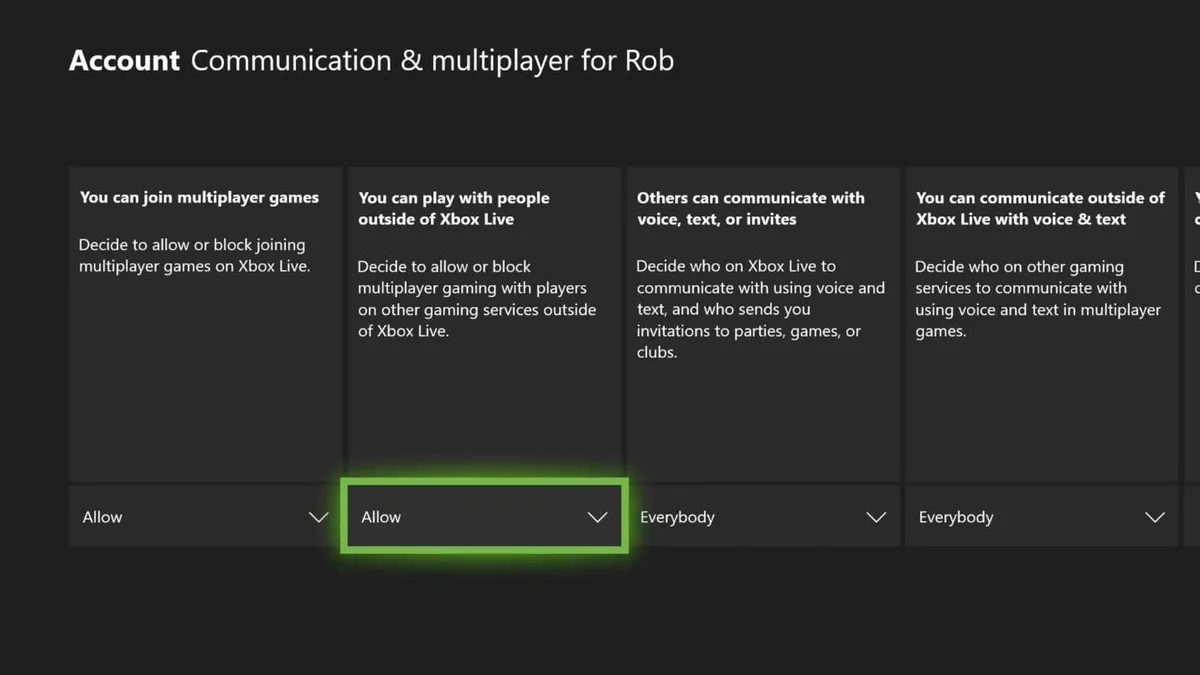
Cross-play is enabled by default. To disable it on Xbox:
- Open Xbox Settings → Account
- Select Privacy & online safety
- Select Xbox Live Privacy
- Select View details & customize
- Select Communication & multiplayer
- Set You can play with people outside of Xbox Live to Block
Note: this disables cross-play for all games system-wide, not just Legends. Matchmaking may take longer.
Steam accounts and Wargaming accounts (PC WoWs)
This is one of the most common points of confusion for new PC players.
When you install World of Warships through Steam, Steam creates a new Wargaming account automatically linked to your Steam profile. This is a separate account from any Wargaming account you created on the official website.
You cannot link or merge:
- An existing Wargaming website account into Steam
- A Steam-created account into the Wargaming Game Center
- A Steam account into an Epic Games Store account
Each PC client (Wargaming website, Steam, Epic) plays in the same matchmaking pool, but the accounts are separate. If you have an existing Wargaming account with hundreds of hours of progress and install via Steam, you start a new account from scratch.
Adding the Wargaming launcher to Steam (workaround)
If you want your Wargaming Game Center account accessible inside Steam’s library:
- Launch Steam
- Click Library
- Click Add a Game (bottom left) → Add a Non-Steam Game
- Find the Wargaming Game Center in the list. If it’s not listed, click Browse and navigate to
C:\ProgramData\Wargaming.net\GameCenter - Click Add Selected Programs
The Wargaming Game Center launcher now appears in your Steam library. Launch it from Steam, but log in with your Wargaming credentials — your Steam account credentials won’t work here.
Server regions
World of Warships PC runs on four regional servers: EU, NA (North America), Asia, and RU (Russia). Your server is set when you create your account. Players on different regional servers cannot play together.
Transferring to a different server
As of October 2022, account transfers between servers are closed indefinitely for most players. The exception: Russian players transferring an EU, NA, or Asia account to the Russian regional server can still do so.
Previously (April–October 2022), transfers were available via a support request. That option is currently unavailable.
What a server transfer does: It moves your progress to a new account on the target server, then deletes the old account. Your account region does not change — the data moves to a new account on the new server.
Rules that apply when/if transfers reopen:
- Only active, non-banned Wargaming accounts eligible
- Source account must be linked to a Wargaming.net ID
- Target account must be created through the Wargaming Game Center
- After transfer, the source account cannot play World of Warships (but can still play other Wargaming titles)
- One transfer per year maximum
How to request a server transfer (when available)
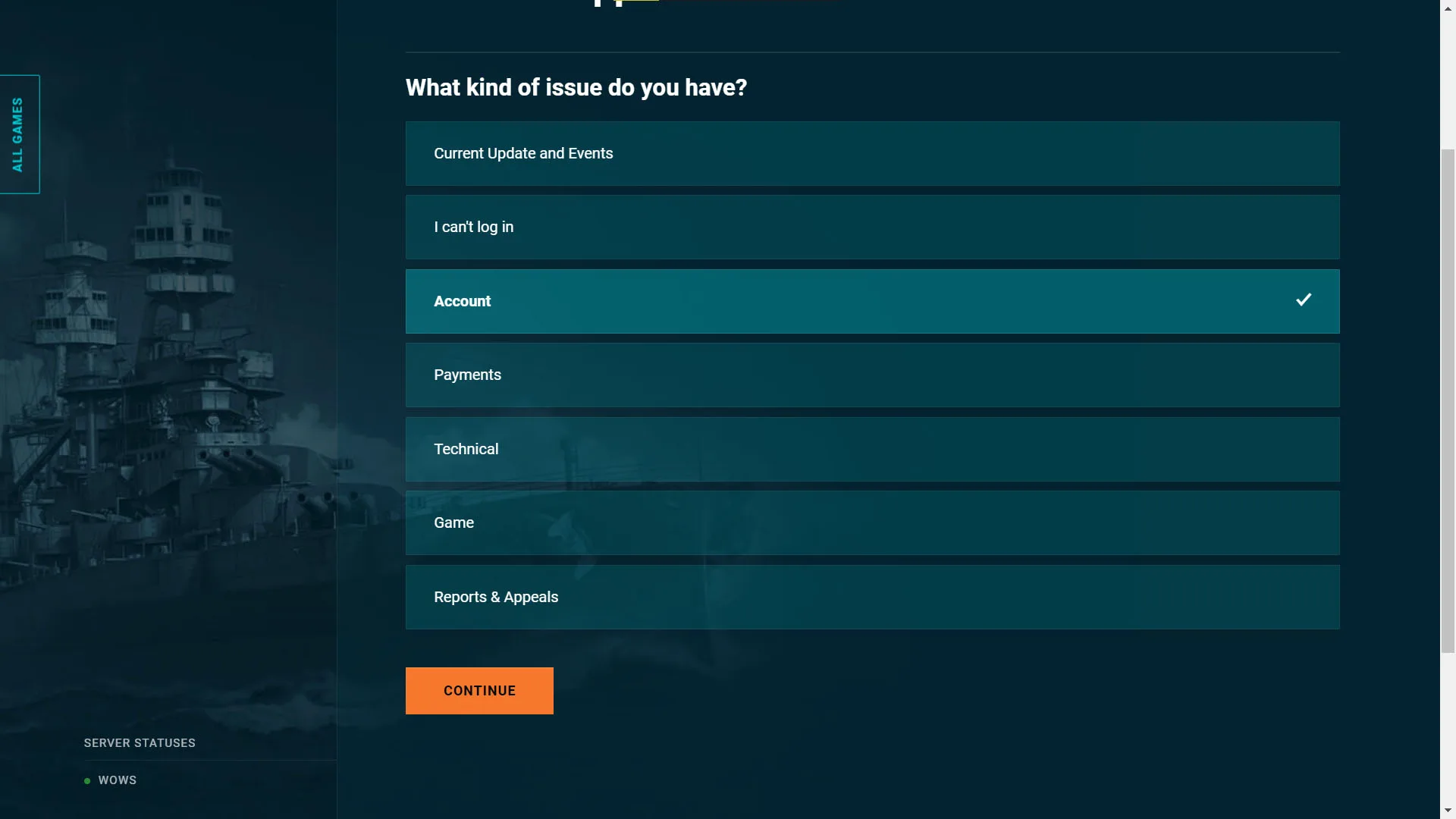
Submit a request via Wargaming’s official support page.
Under What kind of issue do you have? choose Account, then click Continue:
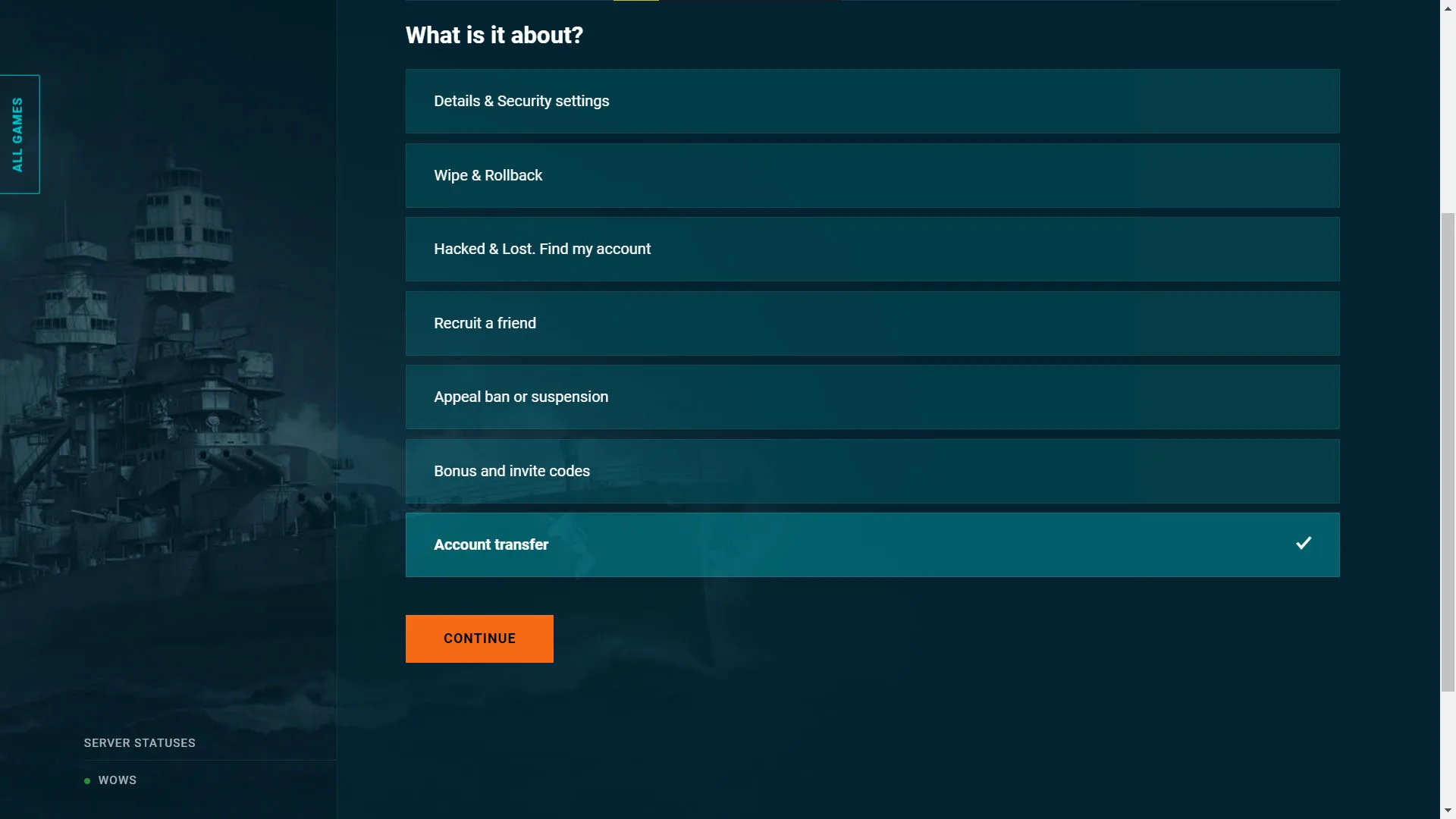
Under What is it about? choose Account transfer, then continue. A support agent will contact you. Have documentation ready confirming your location if required.
What transfers and what doesn’t
| Transferred | Not transferred |
|---|---|
| Ships and modules | Nickname |
| All XP earned | Region-specific content |
| Stats and achievements | Premium Account subscription |
| Remaining Premium Account time | Bundle progress |
| Commanders (skill points and XP) | Friends list and blacklist |
| Emblems, patches, backgrounds | Premium shop coupons |
| All upgrades | Linked phone number |
| Flags and camouflages | Connected payment methods |
| All in-game currencies | |
| Containers and tokens | |
| Collections | |
| Clan membership and Clan Leader role |
Cancelling a transfer
You have 7 days to cancel after a transfer begins. Cancelling deletes the new account and reactivates your old one. Any XP or items earned on the new account during this window are not transferred back.
To cancel, submit a support ticket on the Wargaming website.
Does a server transfer remove bans or pink status?
No. Team damage penalties and account bans carry over with the account. Changing servers is not a way to reset punishment status.
Xbox Game Pass benefits in Legends
Since May 4, 2026, Xbox Game Pass subscribers playing World of Warships: Legends receive weekly in-game rewards by completing a weekly mission. Rewards include Promotion Orders, camouflages, and various boosters. Game Pass subscribers also received 2,500 doubloons as a one-time reward at launch.
The weekly mission can only be progressed on Xbox versions (Xbox console or Microsoft Store PC). Progress and rewards are shared across all platforms you play on via cross-progression.
Is World of Warships cross-platform?
Partially. World of Warships PC is not cross-platform — PC players only play against other PC players, regardless of which PC client they use. World of Warships: Legends is fully cross-platform across PlayStation, Xbox, mobile, and PC (Steam/Microsoft Store) with cross-progression.
Can I use my PC World of Warships account on console?
No. PC World of Warships and World of Warships: Legends are separate games with separate accounts. Progress does not transfer between them.
Can I transfer my Wargaming account to Steam?
You cannot merge an existing Wargaming website account with Steam. Installing via Steam creates a new separate account. The workaround is to add the Wargaming Game Center as a non-Steam application — see the Steam section above.
Can I play PC World of Warships with friends on console?
No. PC World of Warships does not support crossplay with consoles. If you want to play together, you both need to play the same version: either PC World of Warships or World of Warships: Legends.